
5 Cybersecurity Tips To Keep Your Brokerage Safe While Operating Remote
The content primarily discusses the use of cookies on a website, detailing necessary cookies essential for site functionality such as secure login and session management, while also referencing privacy policies and consent preferences, but does not provide the promised "5 Cybersecurity Tips To Keep Your Brokerage Safe While Operating Remote."

We Value Your Privacy
We use cookies to enhance your browsing experience, serve personalized ads or content, and analyze our traffic. By clicking "Accept All", you consent to our use of cookies. Please see our Privacy Policy for more information.
CustomizeReject AllAccept All
Customize Consent Preferences
We use cookies to help you navigate efficiently and perform certain functions. You will find detailed information about all cookies under each consent category below.
The cookies that are categorised as "Necessary" are stored on your browser as they are essential for enabling the basic functionalities of the site.... Show more
For more information on how Google's third-party cookies operate and handle your data, see: Google Privacy Policy
NecessaryAlways Active
Necessary cookies are required to enable the basic features of this site, such as providing secure log-in or adjusting your consent preferences. These cookies do not store any personally identifiable data.
- Cookie
__cf_bm
- Duration
1 hour
- Description
This cookie, set by Cloudflare, is used to support Cloudflare Bot Management.
- Cookie
_cfuvid
- Duration
session
- Description
Cloudflare sets this cookie to track users across sessions to optimize user experience by maintaining session consistency and providing personalized services
- Cookie
elementor
- Duration
Never Expires
- Description
The website's WordPress theme uses this cookie. It allows the website owner to implement or change the website's content in real-time.
- Cookie
wpEmojiSettingsSupports
- Duration
session
- Description
WordPress sets this cookie when a user interacts with emojis on a WordPress site. It helps determine if the user's browser can display emojis properly.
- Cookie
m
- Duration
1 year 1 month 4 days 1 minute
- Description
Stripe sets this cookie for fraud prevention purposes. It identifies the device used to access the website, allowing the website to be formatted accordingly.
- Cookie
VISITOR_PRIVACY_METADATA
- Duration
6 months
- Description
YouTube sets this cookie to store the user's cookie consent state for the current domain.
- Cookie
_calendly_session
- Duration
21 days 1 minute
- Description
Calendly, a Meeting Schedulers, sets this cookie to allow the meeting scheduler to function within the website and to add events into the visitor’s calendar.
- Cookie
_zm_mtk_guid
- Duration
1 year 1 month 4 days
- Description
Zoom sets this cookie for the Zoom support team.
- Cookie
_zm_ctaid
- Duration
2 hours
- Description
Zoom sets this cookie for the Zoom support team.
- Cookie
cookieyes-*
- Duration
1 year
- Description
CookieYes sets this cookie for consent solution management.
- Cookie
wordpress_test_cookie
- Duration
session
- Description
WordPress sets this cookie to determine whether cookies are enabled on the users' browsers.
Functional
Functional cookies help perform certain functionalities like sharing the content of the website on social media platforms, collecting feedback, and other third-party features.
- Cookie
_gcl_au
- Duration
3 months
- Description
Google Tag Manager sets this cookie to experiment advertisement efficiency of websites using their services.
- Cookie
ea11y-global-state
- Duration
Never Expires
- Description
Elementor sets this cookie to store the persistent accessibility preferences selected by the user, such as panel visibility or interface adjustments, so these settings remain the same when the user revisits the sit
- Cookie
ea11y-session-state
- Duration
session
- Description
Elementor sets this cookie to temporarily store accessibility preferences for the duration of the current browsing session, ensuring the selected settings remain consistent while the user navigates the site.
- Cookie
VISITOR_INFO1_LIVE
- Duration
6 months
- Description
A cookie set by YouTube to measure bandwidth that determines whether the user gets the new or old player interface.
- Cookie
ytidb::LAST_RESULT_ENTRY_KEY
- Duration
Never Expires
- Description
The cookie ytidb::LAST_RESULT_ENTRY_KEY is used by YouTube to store the last search result entry that was clicked by the user. This information is used to improve the user experience by providing more relevant search results in the future.
- Cookie
nitroCachedPage
- Duration
session
- Description
Description is currently not available.
- Cookie
_zitok
- Duration
1 year
- Description
Description is currently not available.
- Cookie
__Secure-BUCKET
- Duration
6 months
- Description
Description is currently not available.
- Cookie
_zm_chtaid
- Duration
2 hours
- Description
Zoom sets this cookie to facilitate video conferences via zoom from the website.
- Cookie
_hcc
- Duration
session
- Description
Used to load and display hosted image content from WordPress, supporting proper page rendering and a consistent visual browsing experience.
Analytics
Analytical cookies are used to understand how visitors interact with the website. These cookies help provide information on metrics such as the number of visitors, bounce rate, traffic source, etc.
- Cookie
__Secure-YNID
- Duration
6 months
- Description
YouTube cookie used to protect user security and prevent fraud, especially during the login process.
- Cookie
_ga
- Duration
1 year 1 month 4 days 1 minute
- Description
Google Analytics sets this cookie to calculate visitor, session and campaign data and track site usage for the site's analytics report. The cookie stores information anonymously and assigns a randomly generated number to recognise unique visitors.
- Cookie
_gid
- Duration
1 day
- Description
Google Analytics sets this cookie to store information on how visitors use a website while also creating an analytics report of the website's performance. Some of the collected data includes the number of visitors, their source, and the pages they visit anonymously.
- Cookie
_ga_*
- Duration
1 year 1 month 4 days 1 minute
- Description
Google Analytics sets this cookie to store and count page views.
- Cookie
__rafm
- Duration
session
- Description
Ruler analytics sets this cookie to monitor and analyse the effectiveness of our online marketing spend.
- Cookie
ajs_anonymous_id
- Duration
Never Expires
- Description
This cookie is set by Segment to count the number of people who visit a certain site by tracking if they have visited before.
- Cookie
YSC
- Duration
session
- Description
YSC cookie is set by Youtube and is used to track the views of embedded videos on Youtube pages.
- Cookie
vuid
- Duration
1 year 1 month 4 days 1 minute
- Description
Vimeo installs this cookie to collect tracking information by setting a unique ID to embed videos on the website.
- Cookie
navless-live-visitor
- Duration
1 year 1 month 4 days
- Description
Description is currently not available.
- Cookie
__hstc
- Duration
6 months
- Description
Hubspot set this main cookie for tracking visitors. It contains the domain, initial timestamp (first visit), last timestamp (last visit), current timestamp (this visit), and session number (increments for each subsequent session).
- Cookie
hubspotutk
- Duration
6 months
- Description
HubSpot sets this cookie to keep track of the visitors to the website. This cookie is passed to HubSpot on form submission and used when deduplicating contacts.
- Cookie
__hssrc
- Duration
session
- Description
HubSpot cookie sets this cookie to determine if the visitor has restarted their browser. If this cookie does not exist when HubSpot manages cookies, it is considered a new session.
- Cookie
__hssc
- Duration
1 hour
- Description
HubSpot sets this cookie to keep track of sessions. This is used to determine if HubSpot should increment the session number and timestamps in the __hstc cookie. It contains the domain, viewCount (which increments with each pageview in a session), and session start timestamp.
- Cookie
pardot
- Duration
past
- Description
The pardot cookie is set while the visitor is logged in as a Pardot user. The cookie indicates an active session and is not used for tracking.
Performance
Performance cookies are used to understand and analyse the key performance indexes of the website which helps in delivering a better user experience for the visitors.
No cookies to display.
Advertisement
Advertisement cookies are used to provide visitors with customised advertisements based on the pages you visited previously and to analyse the effectiveness of the ad campaigns.
- Cookie
__Secure-ROLLOUT_TOKEN
- Duration
6 months
- Description
Description is currently not available.
- Cookie
__Secure-YEC
- Duration
past
- Description
Description is currently not available.
- Cookie
_rdt_uuid
- Duration
3 months
- Description
Reddit sets this cookie to build a profile of your interests and show you relevant ads.
- Cookie
MUID
- Duration
1 year 24 days
- Description
Bing sets this cookie to recognise unique web browsers visiting Microsoft sites. This cookie is used for advertising, site analytics, and other operations.
- Cookie
test_cookie
- Duration
15 minutes
- Description
doubleclick.net sets this cookie to determine if the user's browser supports cookies.
- Cookie
_uetsid
- Duration
1 day
- Description
Bing Ads sets this cookie to engage with a user that has previously visited the website.
- Cookie
_uetvid
- Duration
1 year 24 days
- Description
Bing Ads sets this cookie to engage with a user that has previously visited the website.
- Cookie
IDE
- Duration
1 year 24 days
- Description
Google DoubleClick IDE cookies store information about how the user uses the website to present them with relevant ads according to the user profile.
Uncategorised
Other uncategorised cookies are those that are being analysed and have not been classified into a category as yet.
- Cookie
__obref
- Duration
1 year
- Description
Description is currently not available.
- Cookie
_hcr
- Duration
session
- Description
Used to support website functionality by storing visitor session or preference information associated with embedded content, page interactions, and related data.
Reject AllSave My PreferencesAccept All
Powered by 
5 Cybersecurity Tips To Keep Your Brokerage Safe While Operating Remote
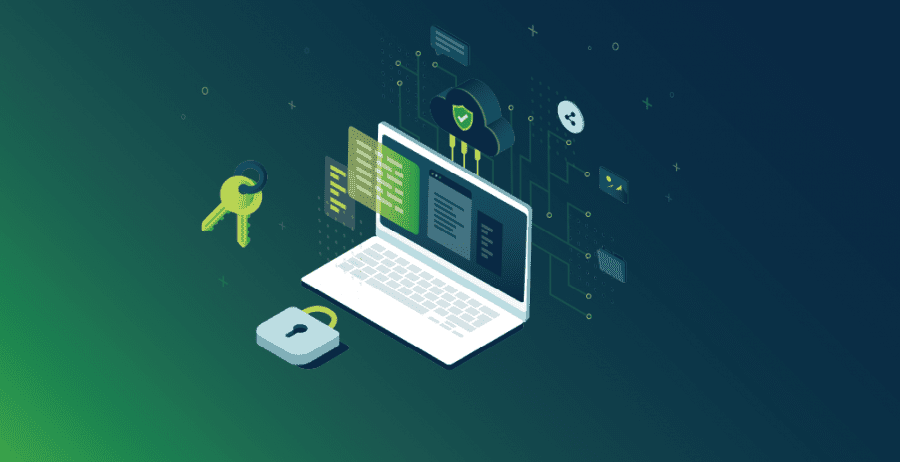
In many ways, technology is a boon for theinsurance industry. It has allowedbrokers to continue providing coverage to their clients as brokerages have adopted a new hybrid remote work strategy.
But with technology comes risk. Ne’er-do-wells are lurking behind every virtual corner. And, without proper security awareness and the right data protection strategy, you and your clients’ information could end up in the wrong hands ( just ask Garmin).
Independent insurance brokerages need to take action to ensure every piece of data is safeguarded not just from theft but also harm. Luckily, by embracing the right security awareness and teaching your team about data protection best practices, you can minimize the risk of a cybersecurity attack (short on time? jump right to the tips!).
Security Awareness: What Are You Protecting?
Before you dig into the steps you can take to bump up your cybersecurity, it’s critical to understand what you’re securing. Independent insurance brokerages have access to a slew of information, much of which is incredibly sensitive.
First and foremost, you’re responsible for protecting your clients’ data. Failing to protect your clients’ financial information correctly comes with devastating consequences. That’s why securing client data has to be a priority.
Additionally,insurance brokerages have payment information, which is something any hacker would love to get a chance to exploit. Your systems also hold operational data, which, while not necessarily confidential, is critical to your business.
Manyinsurance brokerages also have data they’d rather keep private. Company secrets like pricing details and trade agreements aren’t something you want released out into the world.
Finally, there is a mountain of personal identity information. Along with contact details and demographics for your clients, you also have personnel records for you and any employees.
Overall, there is a lot worth protecting. That’s why security awareness and data protection is so vital.
Who Are the Bad Guys (And How Can You Stop Them)?
Now that you understand what you’re safeguarding, let’s take a look at the bad guys you’re defending against.
Malware
One of the biggest baddies around is malware, or malicious software. This category encompasses a wide variety of threats, including worms, trojans, and a range of other viruses. Often, these relatively tiny clumps of code can be incredibly damaging. Some may create backdoors into your systems, allowing unauthorized personnel to reach your data. Others may cause catastrophic damage, erasing, or scrambling information.
Ransomware, a subset of the malware category, is an attack-type on the rise. With these, the malicious software seizes control of your computer, database, or network, encrypting the information and locking you out. Hackers then demand a ransom, usually in the form of cryptocurrency, to decrypt your data and give you back control.
Stopping malware should always be a priority. Luckily, best practices like installing antivirus software and keeping it up-to-date makes a big difference. Similarly, a robust firewall can prevent unauthorized traffic from reaching your systems.
Finally, backups are a powerful tool. By backing up regularly, even if your data is damaged in an attack or seized by ransomware, you haven’t lost everything. You have an accurate, recent copy of your information, allowing you to rollback if the need arises.
Phishing
Phishing attacks are all about trickery and deception. The hacker tries to deceive a company employee into handing over login credentials, personal information, brokerage data, financial details, and more.
A classic form is an email or text message that tries to convince the recipient to click on a link or download an attachment to resolve some kind of issue. The trick is, that link doesn’t go to a legitimate site. Instead, it’s a fake designed to steal the person’s credentials or other information. With attachments, it’s a way to download malware.
Some phishing attempts can be incredibly sophisticated. They may feature spoofed email addresses, making it look like the message came from a person or company the recipient knows and trusts. The body of the email may look legit, featuring well-known logos and other hallmarks of the real thing.
However, there’s usually something amiss about the message. Maybe the spelling or grammar isn’t quite right, or the domain on the email address is off. The content not being tailored to the recipient – such as saying “account holder” instead of addressing the person by name – could also be a clue.
Security awareness and training is crucial for every employee, particularly when it comes to combatting phishing attacks. It ensures everyone knows how to spot the signs of a suspicious email or text message, ensuring they won’t interact with suspicious links or give information to someone who shouldn’t have it.
Lack of Secure SSL/TLS
While not technically a kind of attack, a lack of secure SSL/TLS is an issue. SSL/TSL (secure socket layer/transport layer security) protocols mean the website connection isn’t secure. Data moving between that page and the recipient isn’t encrypted, making it vulnerable to interception and theft.
Never send sensitive information – such as personal identity information or financial details – through a site that doesn’t have SSL/TLS in place. If you do, a hacker could intercept the packets, snagging your data while it’s in transmission.
5 Tips to Protect Your Clients’ Data, as Well as Your Own
As aninsurance brokerage, data protection must be a priority. Not only are their regulations that make certain steps a must, but failing to keep your clients’ data protected can harm your reputation and potentially leave you open to litigation.
Make sure you take the right steps to secure your system and embrace these 5 best practices plus a bonus tip that every brokerage should implement today.
- 1.Update your computers, applications, and antivirus software regularly
- 2.Choose strong, unique passwords, and change them regularly
- 3.Use password managers when necessary, and always say “yes” to two-factor authentication procedures.
- 4.Consider switching to digital payments and eliminating paper checks from your workflow. This one simple action can reduce the risk of clients’ personal data being mishandled or misplaced.
- 5.Follow all PCI-mandated data protections when handling or accepting payments.
- 6.Reduce your use of other paper in the office, particularly documents with sensitive client data on them.
- 7.Be skeptical about any unexpected email, particularly those containing links or attachments, or that are asking for sensitive data.
- 8.*BONUS Always… always… ALWAYS backup your data. It’s a final safeguard, allowing you to revert back if something goes awry.
While security awareness and data protection practices require some effort, they are worth it. Ultimately, you are what stands between hackers and yours and your clients’ data. So, make sure to take every precaution. In the end, it’s a much easier road than the one you’d have to take after an attack.
Share this Post
Steve Miller
More from Post: 5 Cybersecurity Tips To Keep Your Brokerage Safe While Operating Remote
ePayPolicy Earns SOC 2 Report
We’re thrilled to announce a monumental milestone in our security journey: ePayPolicy has officially received our SOC 2 Type 2 report.
October 16, 2026
2027 Insurance Trends: The Math is Getting More Complicated
Heading into 2027, the margin for operational inefficiency in P&C insurance is effectively hitting zero. Claim severity continues to climb despite lower crash frequencies, property risks are rapidly shifting into residual and E&S markets, and new regulations demand granular, property-level mitigation data.
Carriers and MGAs can’t rely on broad rate hikes or investment yields alone to protect their bottom line. Staying profitable requires sharper risk selection, smarter workflows, and faster execution. Discover the seven key trends shaping the year ahead, from agentic AI to real-time telematics, and learn how to optimize the operational levers you can actually control.
October 6, 2026
Why Modern Carriers Need Purpose-Built Premium and Claims Processors
Rethinking generic payment gateways, and the power of specialization.
September 3, 2026
ePayPolicy Makes Inc. 5000 List for 5th Year in a Row
Inc. today announced that ePayPolicy is No. 2267 on the annual Inc. 5000 list, the most well-known ranking of the fastest-growing private companies in America.
August 11, 2026
“It’s How We’ve Always Done It” Is the Most Expensive Sentence in Insurance Receivables
Still accepting checks in 2026? Your finance team probably needs a hug, as well as a serious payment upgrade. We’ve
August 3, 2026
Comparison: ePayPolicy vs. Stripe
This comprehensive overview compares an industry-specific financial hub, ePayPolicy, against generic all-purpose payment processors like Stripe.
July 10, 2026
Shopping Basket
Text
Bigger text
Line height
Text align
Readable font
Visual
Contrast
Grayscale
Hide images
Pause animations
Orientation
Highlight links
Reading mask
Outline focus
Sitemap
Page structure