
Video Tutorials
The ePayPolicy website offers a library of how-to video tutorials, including a featured 40-second video on automating invoice notifications to streamline payment collections, along with options to customize settings like adding logos and users, while also providing users with cookie consent management for privacy preferences.

We Value Your Privacy
ePayPolicy and our third-party partners use optional cookies and other online tracking technologies to personalize and enhance your use of our website. Please see our Privacy Policy for more information. By clicking "Opt Out," you are opting out of the collection of cookies and the sale or sharing of your personal information collected through these technologies.
Opt Out
Opt-out Preferences
We use third-party cookies that help us analyze how you use this website, store your preferences, and provide the content and advertisements that are relevant to you. However, you can opt out of these cookies by checking "Opt Out" and clicking the "Save My Preferences" button. Once you opt out, you can opt in again at any time by unchecking "Opt Out" and clicking the "Save My Preferences" button.
Opt Out
CancelSave My Preferences
Your opt-out preference has been honored.
Banner closes automatically in s...
Powered by 
ePayPolicy Makes Payments Easy
A library of how-to videos to make payments the easiest part of your business.
Play
Press O for more options
Click for sound
0:40
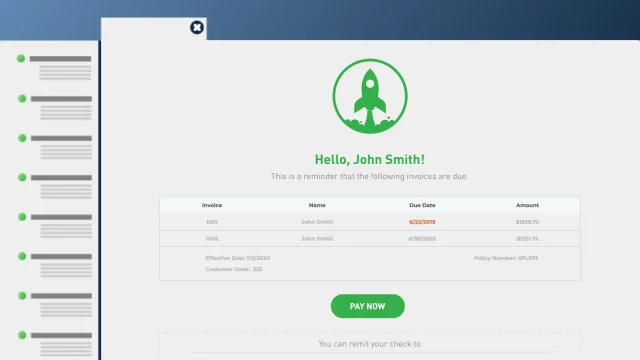
FeaturedInvoice Notifications - Automate your invoice notification process
Invoice notifications do the collections work for you. Once set up, they'll send out payment requests so you won't have to, and will even follow up on past due payment requests.
Getting Started with ePayPolicy
Getting Started 1 : Add Your Logo and Users
Getting Started 2 : Transactions, Batches & the Dashboard
Getting Started 3 : Integrations
ePayPolicy How To's
How To: Embed a Pay Now Button in Gmail
How To: Embed a Pay Now Button in Outlook
How To: Void Payments and Send Refunds
How To: Add payment link invoices in DocuSign
Features
Payables - Send payments directly from your dashboard
AutoPay - Save payment information and pay invoices automatically
Invoice Notifications - Automate your invoice notification process
Recurring Payments - Easy installment payments for your insureds
ePayPolicy Integrations
Integrations - AMS360 - How It Works
Integrations - NowCerts - How It Works
Shopping Basket
Text
Bigger text
Line height
Text align
Readable font
Visual
Contrast
Grayscale
Hide images
Pause animations
Orientation
Highlight links
Reading mask
Outline focus
Sitemap
Page structure